
As I promised in the last post, it was finally time to see where we are on the original problem. On my way home from my day job I stopped off at YLS Entertainment to see how we fair in controlling interaction with the rolling shutter on a good video camera.
Before heading over I did a little prep work. First, I made scan rate real time adjustable and exposed the raw timer reload value on the display and added touch quadrants to control it:
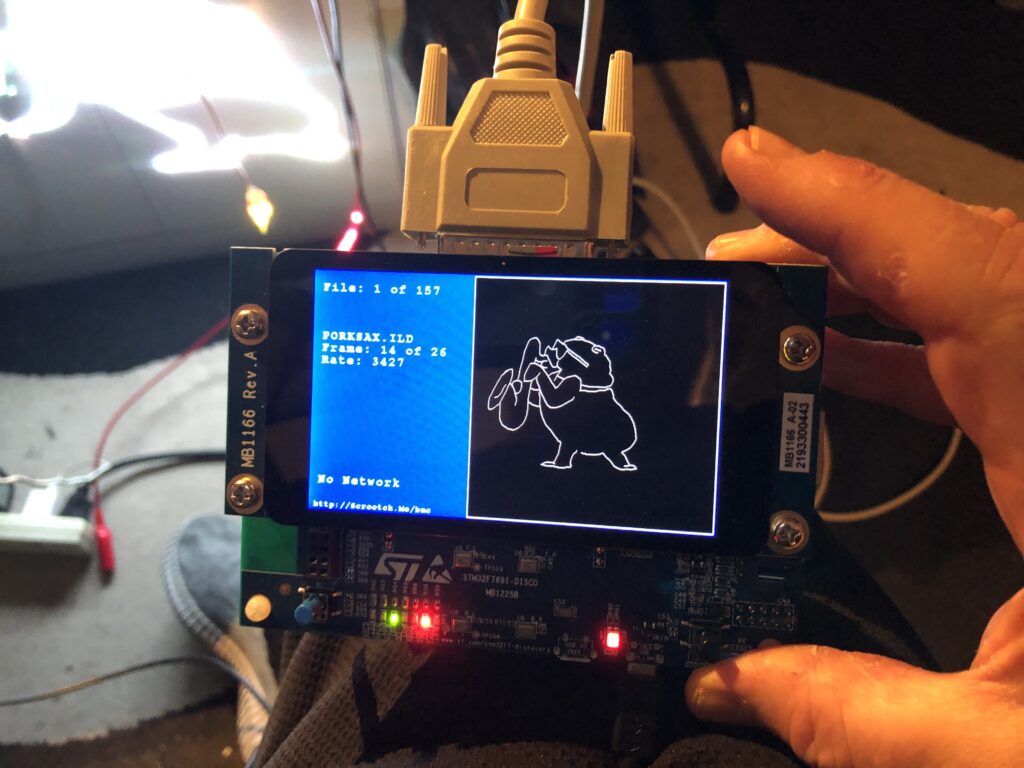
Because we want our scanning to be very low jitter for better rolling shutter synchronization, updating the scan rate well could have been tricky on some MCUs. But the STM32xxx timer peripheral we are using has a really nice feature. You can turn on something they call “preload”, or “register shadowing”. Shadowing is basically a second copy of a timer control register that firmware can read and write, but anything written does not take effect until the next timer update (scan period in our case). This makes smoothly controlling the rate of our scan period timer dynamically very easy.
You can read about shadow registers in the STM32Fxx Timer Cookbook from ST. Another appnote contains a terser version of much of the same info and a few additional tidbits.
In our case the timer initialization code only required one additional line to turn on the ARPE control bit:
        // Timer 2 is our master controller
	TIM2->PSC = 0;
	// Initialize the period to get 28 kHz as frequency from 96MHz
	TIM2->ARR = SCAN_MIN_ARR;
	// Select Clock Division of 1
	TIM2->CR1 &= ~ TIM_CR1_CKD;
	// buffer ARR
	TIM2->CR1 |= TIM_CR1_ARPE;
	// CMS 00 is edge aligned up/down counter
	// DIR 0 = up
	TIM2->CR1 &= ~(TIM_CR1_DIR | TIM_CR1_CMS);
I also put in a basic affine transform matrix so images could be manipulated instead of just scanned at full size. But more on that in a future post. For now, suffice to say I just wanted a way to scale down and move images so I wouldn’t blow up any of YLS’s higher end scanners.
When I first got to YLS we plugged everything in to make sure I could run their projectors, etc. Surprisingly, everything came up fine. Steve at YLS has a reputation. His superpower appears to be destroying computers and electronics just by touching them. Or, on a good day, just looking at them. But fortune smiled on us today – or he was just distracted looking at his phone (see below). Anyway…
Next they showed me the interaction of the commercial scanning system they are using now with a rolling shudder. You could get the gist, there were some cool results on the monitor, but you couldn’t really dial in the effects or smoothly manipulate them. So we switched to my card and started with a simple circle. We had no problem freezing or smoothly reversing the first physics defying spiral on the monitor we tried:
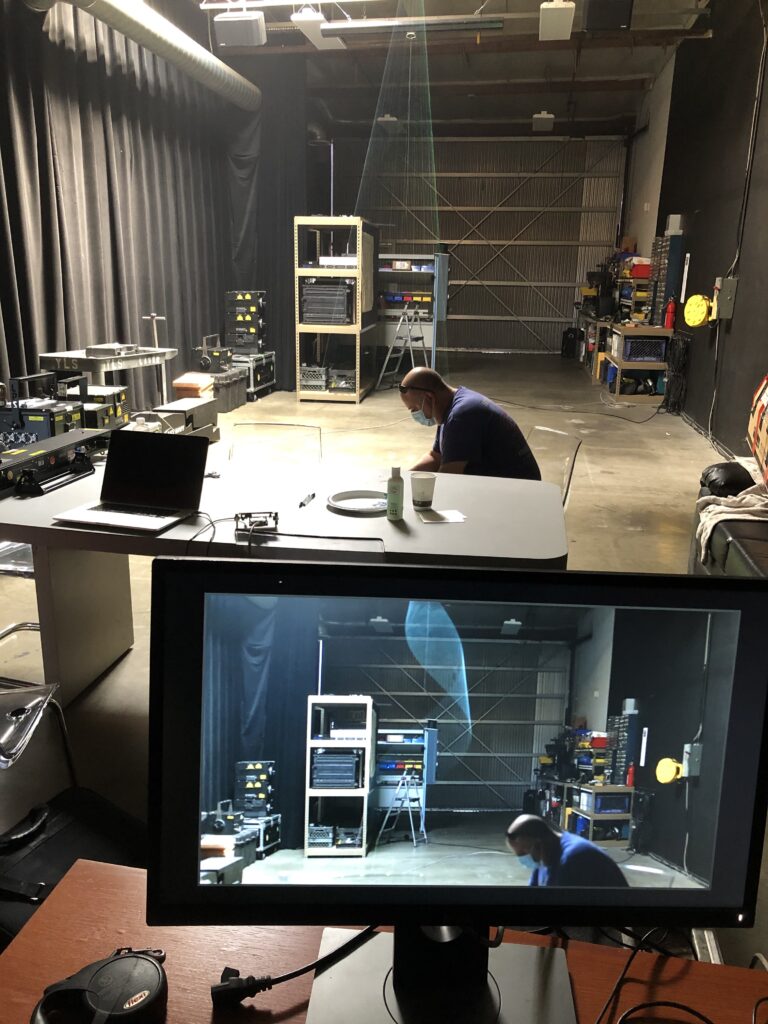
We next confirmed that we could stop the movement in rolling shutter harmonics with other frames selected at random from other ILDA files ad at different camera shutter speeds.
Last we crudely tested one of the ideas that Marty at YLS has been thinking about for this technology – human interaction. We had Marty catch a virtual arial ribbon, hold it still for a few moments, then tap it in the other direction. As you can see above, even in a lit room, with a skylight no less, it is a pretty cool effect.
But we need to do one more piece. You could dial in some cool effects, manually winding and unwinding aliasing artifacts to exactly where you want them to start in space, then shoot a video of just that effect. But if you want to do multiple rolling shutter effects, or incorporate them into, say, the video wall at a live show, you need a way for the effects to come up in the right place, ready to go, every time. Basically, we need to synchronize to the start of each video frame in the camera.
I tried a quick hack with a cheap HDMI->VGA adapter, but that’s not going to get us where we need to be, so I’ll be digging in and doing a proper sync soon. Still, a fun few hours today. More soon!
Leave a Reply