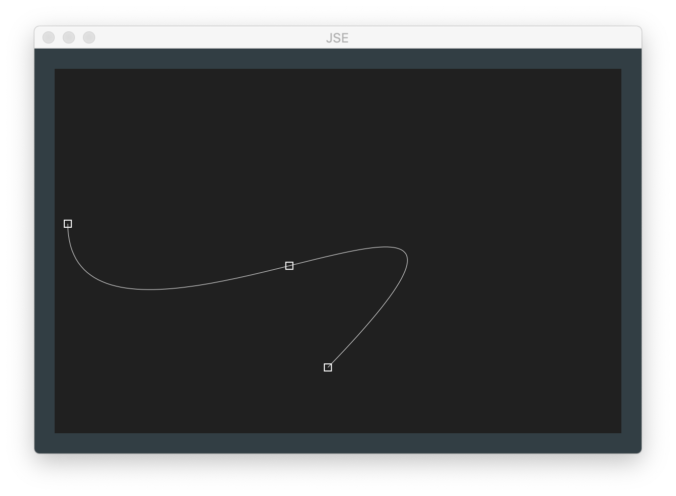
As I mentioned in my last post, we have a bit of a problem with graphical content for our laser system. Honestly, I did not anticipate this. We are using an ILDA standard projector. And the same industry association has a standard for interchanging graphical content. But the commercial system Marty Canavan from YLS Entertainment has won’t export to it.
The system used to do it, but the vendor made a conscious decision to drop support for the open standard. We are going to need graphics and I must admit that my first inclination was to just cheat. The commercial system still talks to an ILDA table so I could just capture the data coming out of it and store it in ILDA files, either sampling in analog or capturing the data just upstream where it is written in digital form to the DACs. But the system is 12 bit output, 1/16th the resolution we want.
Capturing at the ILDA projector end is also inherently X, Y, and color only. There is no reason to transmit Z data to the scanners, so we’d still need a way to add some Z data information to our graphics for some of the effects Marty wants to do with our new fangled rolling shutter gag.
It’s likely that the commercial system handles data at a higher resolution and includes Z information at the host end. It reads files from a prior system that was 16 bit. And it still imports ILDA standard files which are also 16 bit. But the file format is proprietary and what they describe as “secure”. No, it’s not particularly secure, but it’s part of a commerce system. Content creators can key content to just certain projectors. If I show everyone how to bypass that security I’d be potentially hurting show programmers and artists. Also, it just would feel sleazy, on par with being contributors to the ILDA standard and then not bidirectionally supporting it…
Anyway, once I realized I couldn’t (ok, wouldn’t) just cheat, I asked online in a Laser Entertainment group on Facebook what everyone was using for ILDA graphics content. I was actually surprised by some of the answers. The commercial system that stopped supporting export seems to be pushing a line that the ILDA format is 30 years old and would hold the industry back. But it is 16 bit X, Y, Z data and 24 bit true color RGB information. A frame can hold up to 65535 coordinates, which would need 600 kHz scanners to display 10 times a second. The fastest scanners I could find to buy are 1/10th that speed.
A file can also contain up to 65535 frames, about 36 minutes of content at 30 frames per second. Yes, it’s still barebones and simple, but good enough for Marty’s needs. And there were at least a few responses online that indicated other people might find it helpful. So…
Time to do a simple, open source editor. “JSE”. I must admit that I did not spend any real time looking at the existing commercial editors. I took some online comments, had a few conversations with Marty, and sketched out this:
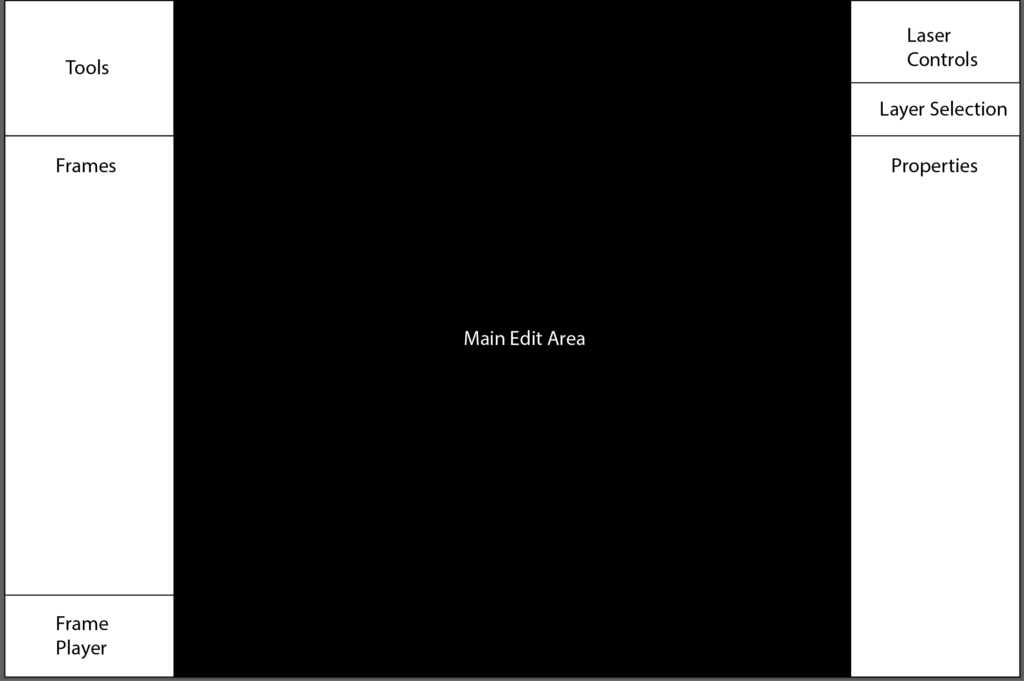
- Tools are what you might expect in, say, Adobe Illustrator: Pen, Ellipse, Selector… They will change based on the layer selected (see below).
- Frames displays and lets you navigate the frames in the file. I envision something along the lines of the slides display in Power Point.
- Frame Player is simple transport controls for playing the slides as an animation.
- Laser Controls are for displaying and editing on a projector. This is also where you tell the system how fast you plan on scanning a given frame.
- Layer Selection is to pick one of the three layers available in the Main Edit Area.
- Properties is where you view and set properties for the current layer and any selected items in it.
- The Main Edit Area is where you edit the currently selected frame. All work occurs on one of three layers.
The simply layer system I came up with is this:
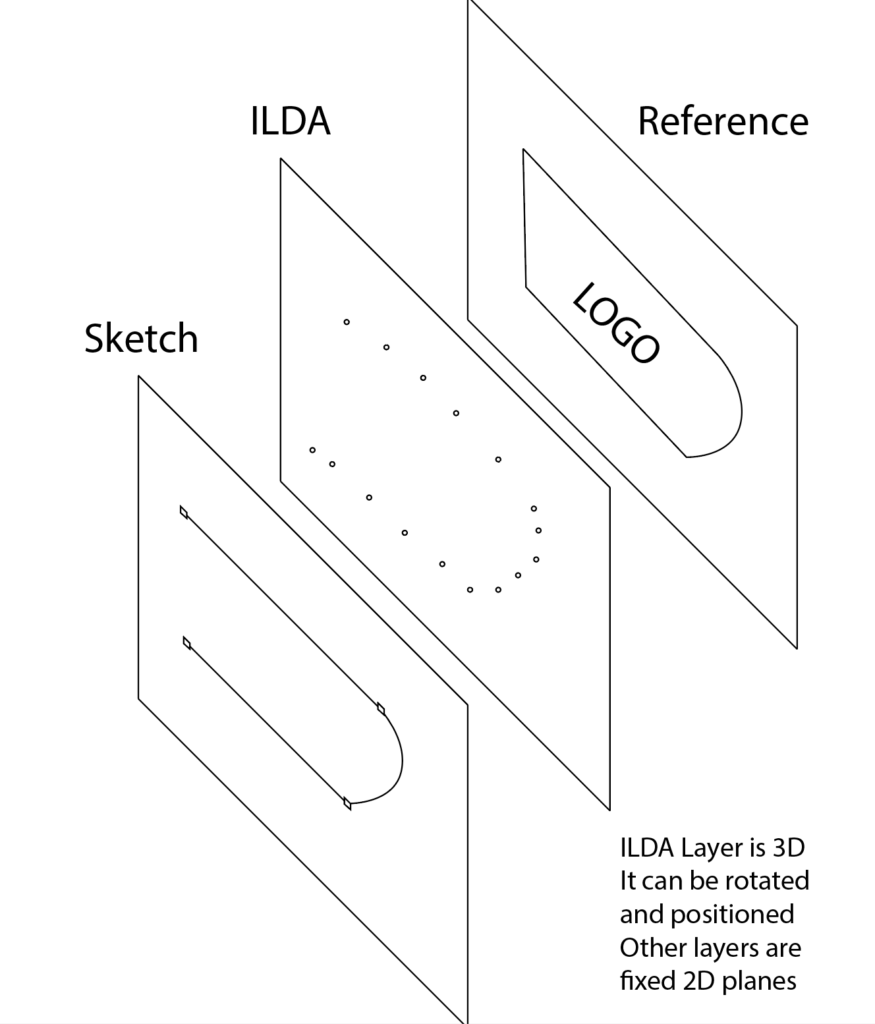
- The Reference layer is in the back and is a place to load reference artwork, like a PNG or BMP file. You can scale and rotate it and load different reference artwork for each frame.
- The ILDA layer is the connect-the-dots sequence that is actually stored an ILDA file. This layer is a simple editor in its own right. You can insert points, delete them, set their visibility and color, etc. Groups can be selected and transformed (scale, rotate, etc.) This is the only layer that is not ‘fixed’ in 3D space. It can be rotated and positioned relative to the other two layers.
- Sketch layer is for non artistically inclined people like me. It holds “paths” made up of straight lines and cubic bezier curves. Paths have attributes like color and visibility and can be individually or collectively “stroked” (converted to coordinate pair ‘dots’) on the ILDA Layer.
Based on what I have been told, most commercial editors have some form of polygon tool for straight lines, but I really like the model of the Pen Tool in Adobe Illustrator. Click for straight lines, click and drag for curves, adjust the control points for the bezier curves with little control bars:
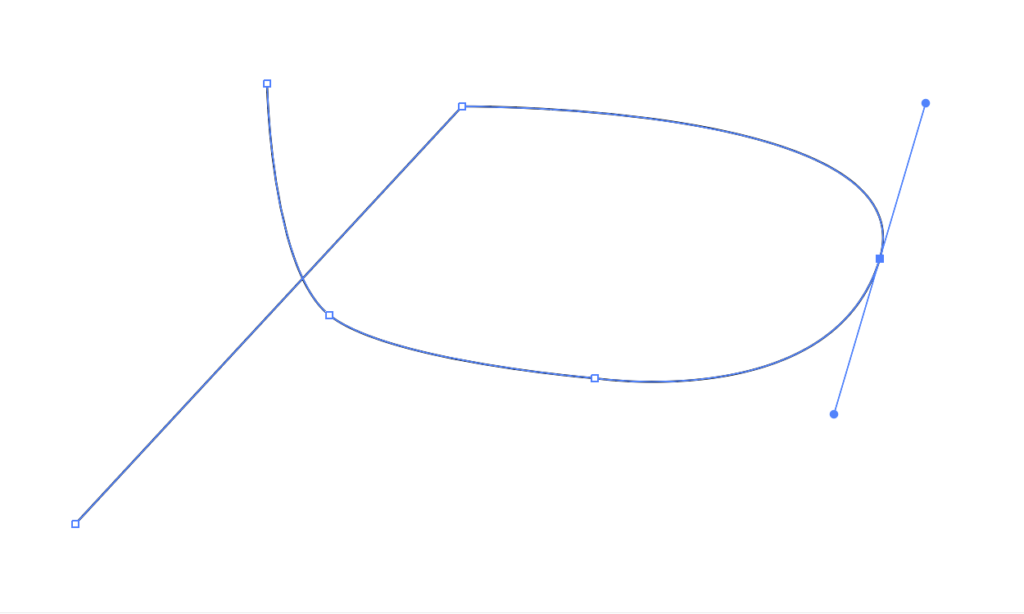
When you draw a circle or ellipse in Illustrator you wind up with four anchor points and bezier curves between them:
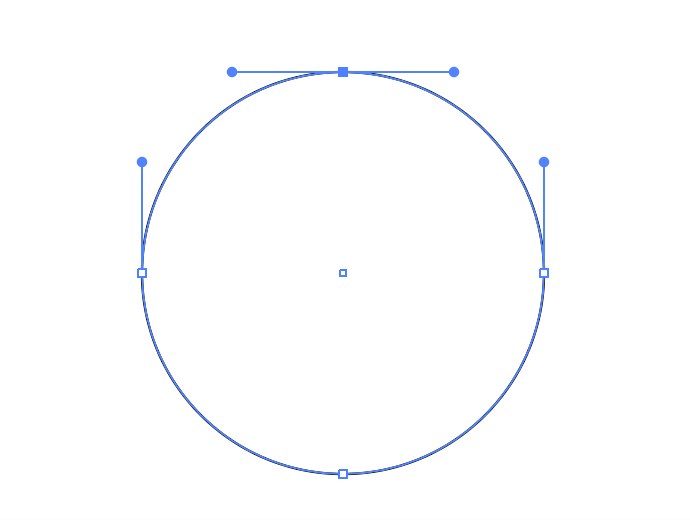
You actually can’t draw a perfect circle with cubic bezier curves, but you can get very close with a concept called ‘the kappa‘. Bezier curves are also pretty computation friendly for finding points and distances along the curve, so great for our purposes generating ILDA content.
In addition to adding curves and control handles, another thing I believe I am doing differently is keeping sketches, each with one or more paths, around. My understanding is that with most editors you set options, like point spacing, anchor and blanking point preferences, etc. and ILDA type coordinates are generated as you use each tool.
I’m thinking along the lines of Autodesk Inventor, where you have a persistent ‘sketch’ and Adobe Photoshop, where the ‘path’ is separate from the ‘stroke’, or actual rendering. My reasoning is two fold.
- Getting a good ‘stroke’ (ILDA points) can be a trial and error process. You probably want to trace the reference drawing once, then try changing settings for the various paths and generating points until you get something that looks good.
- If you are making a simple animation of, say, a logo you probably want to duplicate the previous frame and modify the sketch objects, not retrace from scratch.
Being able select which path(s) to stroke-to-dots is an extension of #2. You might want to to adjust the ILDA layer and stroke parts of the image at different angles in 3D space.
I have quite a few other thoughts, but this covers the basic concept. As you may have guessed from the images at the top of the post, I have already done coding tests for many of the concepts and have started framing in the actual application.
We want an app that can run natively on OS X, Windows, and and iPad pro, so in the next post I will introduce you to JUCE!
Leave a Reply